Buck Me

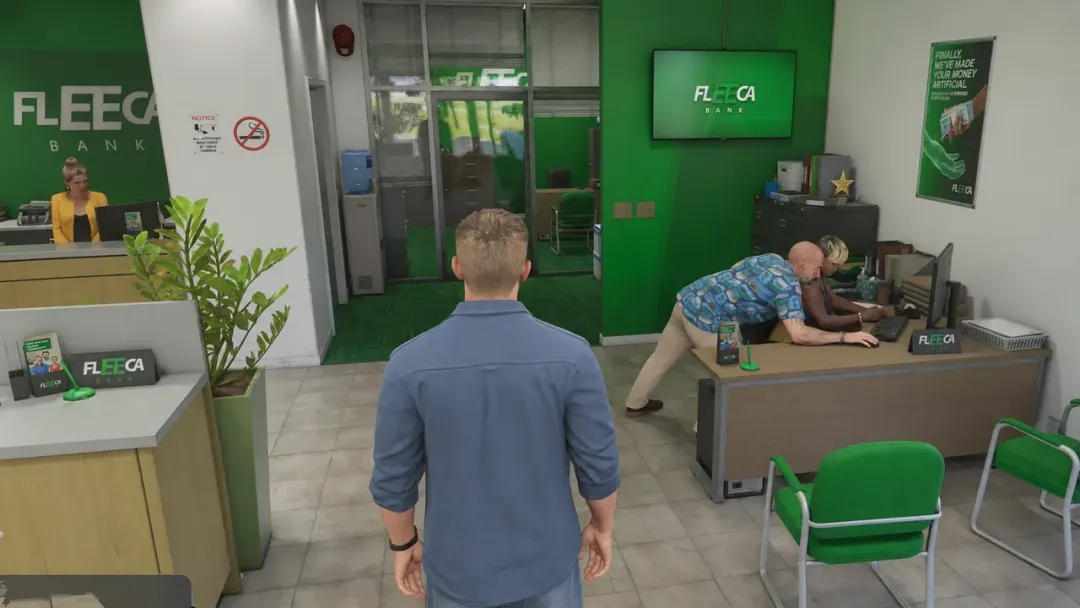
Buck Me is the thirteenth main story mission in Chapter 1: Just Like Paradise, introducing GTA 6's banking app and the split between pocket cash, your BuckMe checking balance, and your shared Family Savings goal. After Lucia Caminos calls about setting up an account for her community service pay, you meet her at Fleeca Bank, handle a quick relationship choice about Jason's savings, and configure BuckMe back home.
Steps
Walkthrough
Start the mission when you go to the Fleeca Bank following Lucia's call. Inside the branch, ask about opening an account with the teller and branch manager, and decide whether to tell Lucia about Jason's saved cash. Back at the house, open BuckMe on Jason's phone to view your $100 welcome credit, then move money into Family Savings to kick off the shared savings tracker.
Mission objectives
- Meet Lucia at Fleeca Bank.
- Speak with the teller and manager to open a bank account.
- Open the BuckMe app on Jason's phone and check the $100 welcome credit.
- Transfer the welcome credit into Family Savings using Buck Yourself.
Aftermath
Finishing Buck Me unlocks the BuckMe phone app (with its built-in ATM Finder) and the RydeMe app, and opens two follow-up banking objectives: Deposit Cash Into BuckMe and the $5,000 long-term savings goal in Save for the Future. Keep in mind that any money you move into Family Savings cannot be withdrawn later.
Rewards
- Save for the Future Mission
- BuckMe banking app (with checking account) and RydeMe phone app
Heistbook app
Track your 100%
Check off collectibles, missions and achievements as you play.
-

- Coming soon to Google Play