Step 2 of 4
Scan the Vehicles with WAiNK
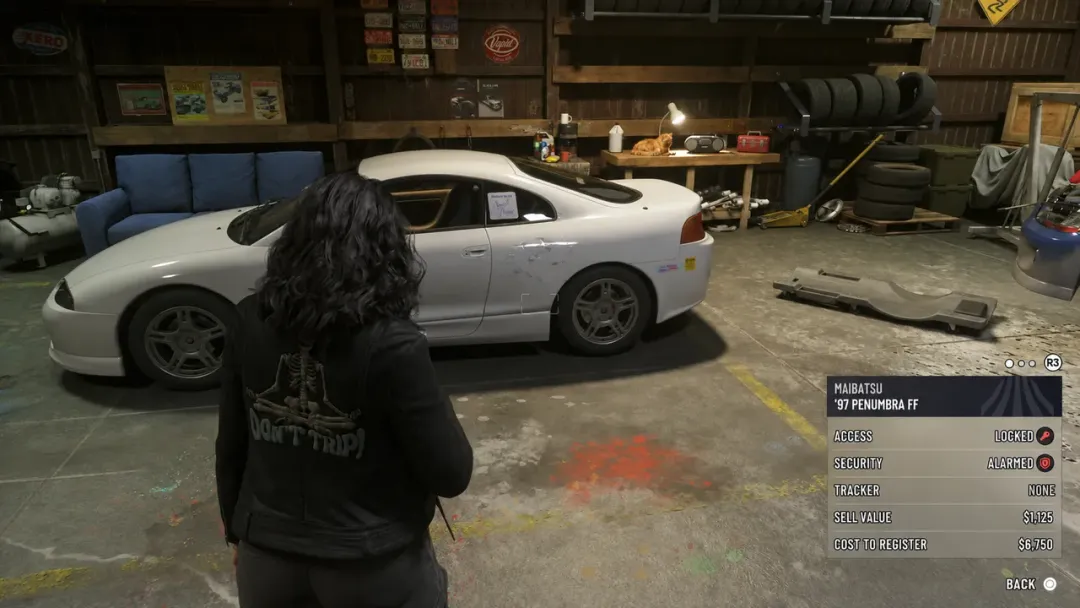
Follow Moses into the yard behind his workshop and use the upgraded WAiNK feature on Lucia Caminos's phone to scan all three parked vehicles. Scanning reveals each car's lock type, alarm, tracker status, estimated value, and whether you can chop or register it.
Using the WAiNK scanner
- Walk alongside Moses into the lot outside the main garage bay.
- Open the WAiNK scanner when prompted and aim at each of the three marked vehicles until the scan completes and displays the full vehicle readout.
After scanning all three vehicles, stay beside Moses for Pick Up the Slim Jim.
All 4 steps
Heistbook app
Track your 100%
Check off collectibles, missions and achievements as you play.
-

- Coming soon to Google Play