Step 3 of 4
Bug Omar's Apartment and Watch the Interrogation
Plant all six cameras inside Omar's apartment without letting him spot the drone, then cycle cameras as Nate and Francisco coerce him.
Placing the six surveillance cameras
Omar, the airport's head baggage handler and Jason's boss, walks between rooms while you fly. Watch the awareness indicator: white means you are safe, while yellow means he is about to notice you. Tuck the drone out of sight or switch rooms whenever he turns your way.
- Living room (2 cameras): Place the first two bugs on the shelf opposite the TV (right of the kitchen alcove) and next to the TV.
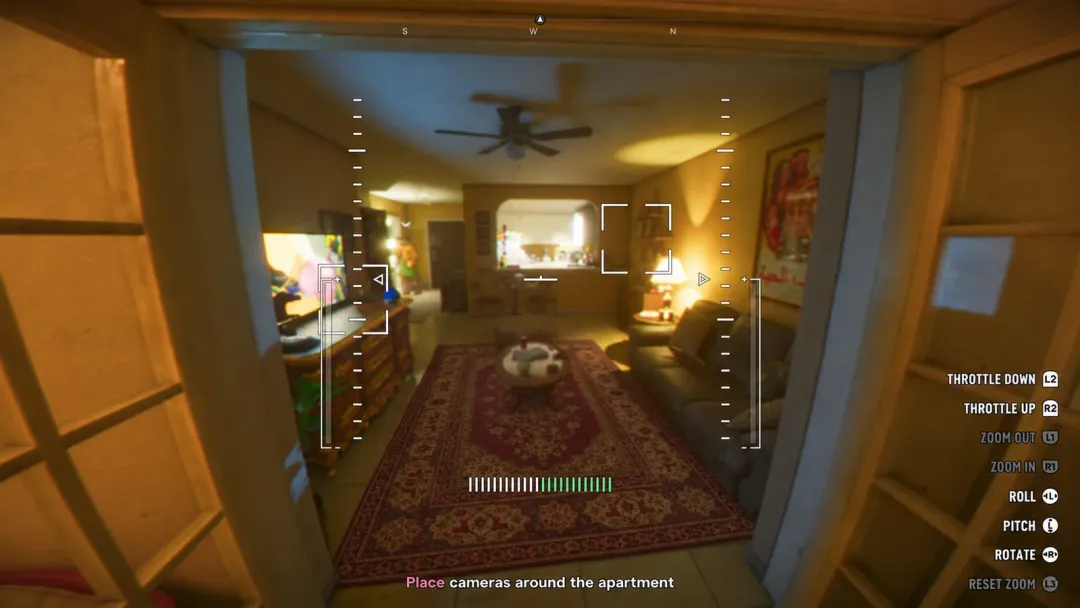
- Kitchen and entryway (3 cameras): Wait for Omar to leave the kitchen, then place the next three cameras on the corner of the counter, on top of the refrigerator, and on the shelf by the front door.
- Bedroom (1 camera): Once Omar walks through the bathroom into his bedroom, slip past him and place the final camera on the shelf beside the bed.
Watching the interrogation
Nate and Francisco knock on the front door and barge in. Press L1/LB and R1/RB to cycle between your placed cameras as they rough Omar up from the kitchen into the living room and force him to load the airport vault money onto their plane on heist day.
All 4 steps
Heistbook app
Track your 100%
Check off collectibles, missions and achievements as you play.
-

- Coming soon to Google Play